

Key takeaways
-
AI cannot replace lawyers, since generative tools can't match a lawyer's judgment, advocacy, or duty of care.
-
AI automates discrete legal tasks like research, document review, and administrative work, but it doesn't take over a lawyer's full occupational role.
-
Lawyers remain responsible for verifying every AI-generated citation, since large language models can hallucinate case law or produce jurisdictional errors.
-
Human judgment remains essential for complex negotiations, client counseling, and courtroom advocacy, areas no AI tool can perform on its own.
-
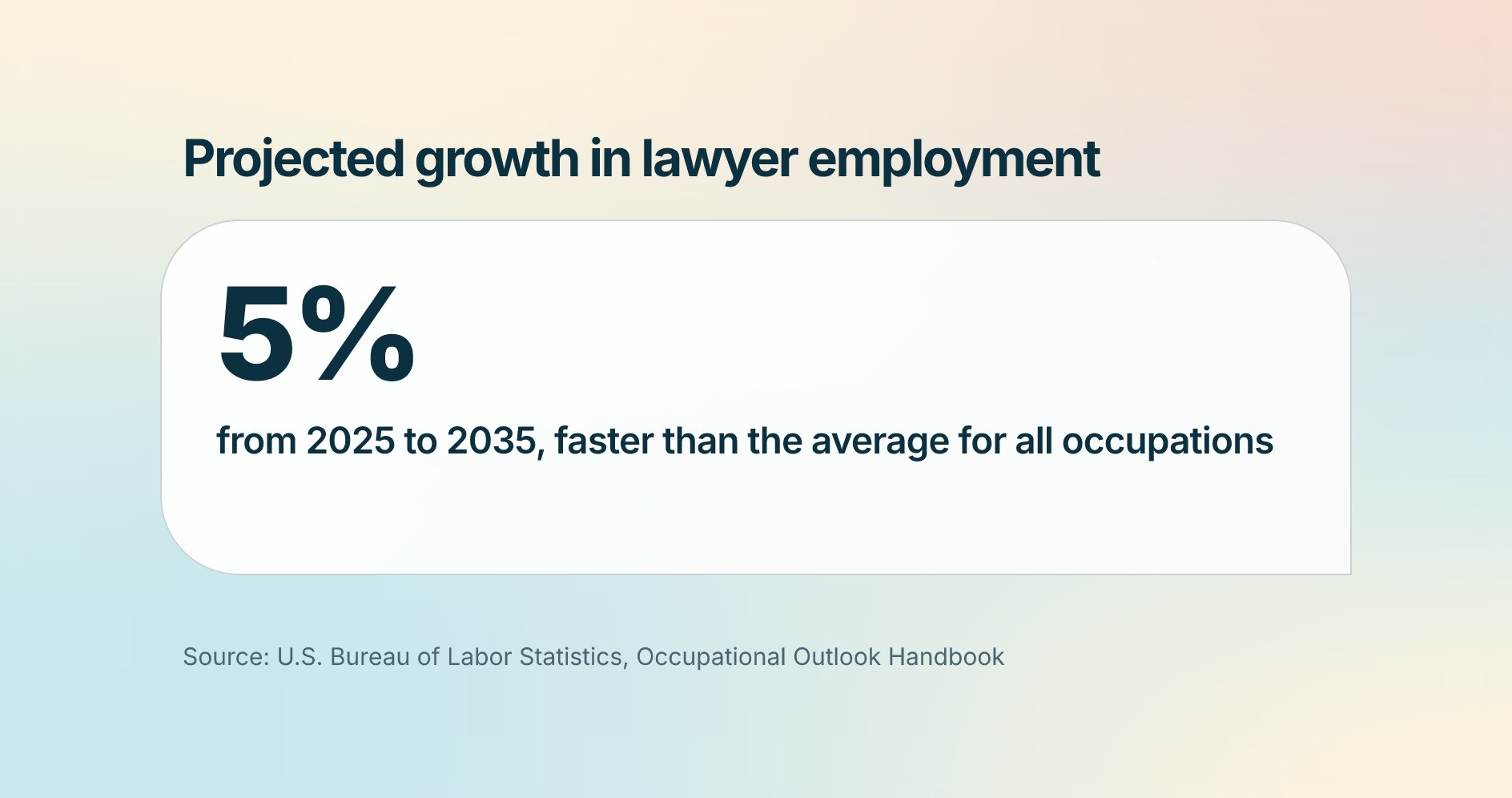
Employment of lawyers is projected to grow 5% from 2025 to 2035, faster than the average for all occupations, according to the Bureau of Labor Statistics ( BLS ).
For centuries, lawyers have served as trusted advisors. But as AI has become more commonplace, one question keeps coming up: Will AI replace lawyers?
When it comes down to it, AI can't argue before a judge, negotiate a settlement, or carry a client's worries. However, when used effectively, AI can handle the busywork of the job.
The data shows that legal professionals have been embracing the technology. According to the 8am™ 2026 Legal Industry Report, 69% of respondents personally used generative AI tools at work, up from 31% the year before, and 28% said they use it every day.
Below, we’ll cover how AI is impacting the legal industry, as well as how legal professionals can use AI to increase efficiency, reduce busywork, and get hours back in the day to focus on serving clients.
What is the role of AI in law today?
AI can automate repetitive tasks that consume billable hours and create deadline stress. It changes how certain tasks get done, but not whether lawyers are needed to do the job. As the NYSBA stated , legal work remains human-centered and requires nuanced judgment, even as many of its underlying tasks, like legal research and data review, shift toward automation. That shift in task allocation, not a shift in who holds responsibility for the client relationship, is what matters here.
By handling high-volume, repetitive work, AI in law especially frees solo and small-firm attorneys who already wear too many hats to focus on strategy, client counsel, and revenue-generating advocacy.
Let’s dive into five areas where AI can make the biggest difference: legal research, document review, due diligence, e-discovery, and day-to-day practice operations.
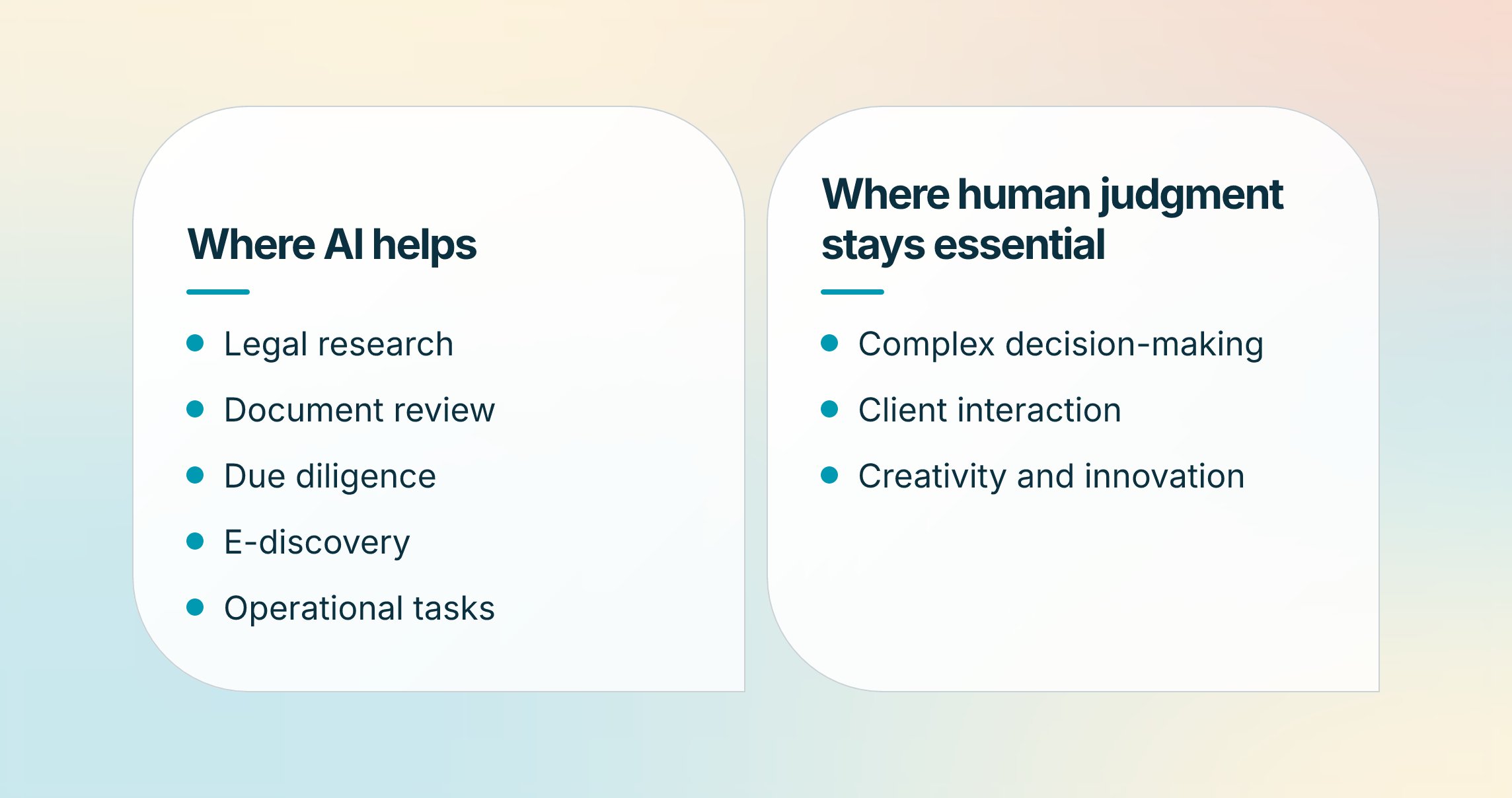
1. Legal research
AI-powered legal research tools sift through case law and statutes, extract key passages, and flag contradictory precedent. Legal generative AI can speed this process further by drafting initial argument outlines.
For example, a solo personal-injury attorney facing a 48-hour motion deadline can drop the fact pattern into an AI workspace and get a ranked list of citations with pinpoint summaries in minutes.
2. Document review
AI legal document summarizers use natural language processing to identify key clauses, flag risks, and check for compliance gaps.
A solo employment lawyer defending a wage claim can upload thousands of emails to an AI module inside a legal practice management system , which flags overtime discrepancies and builds a defensible audit trail.
3. Due diligence
AI-driven due diligence tools comb through contracts and financial records to spotlight missing signatures, change-of-control clauses, and compliance gaps that could delay closing.
A two-partner firm advising a startup on an acquisition can upload vendor agreements and receive contracts flagged for non-assignment clauses, a summary table, and renewal dates mapped to the closing timeline, instead of spending days on manual review.
4. E-discovery
AI accelerates e-discovery by automating the identification and analysis of electronic data. Machine learning can categorize documents, prioritize relevance, and surface patterns across large datasets, cutting the time and cost of discovery.
A civil rights firm reviewing hundreds of thousands of municipal emails can automatically flag privileged attorney-client communications and discriminatory language, freeing the team to focus on depositions rather than file triage.
5. Operational tasks
Behind every brief sits a mountain of invisible work: time entries, intake forms, compliance checks. AI-enabled practice management tools now capture much of that automatically, turning meeting notes and phone calls into time entries and flagging trust-account anomalies before they become bar complaints. That shift matters most for solo and small-firm attorneys who don't have a back office absorbing this work manually.
Practicing with Machines: Leveraging AI to Streamline the Practice of Law
When is human judgment still useful?
Human judgment remains essential wherever legal work calls for nuance, empathy, and ethical discretion. Algorithms can rank precedents, but only an attorney can weigh a client's risk tolerance, read a judge's temperament, and build a strategy that balances legal theory with real-world stakes.
The ABA's AI Task Force confirmed this directly in its report , which examines opportunities and challenges for the legal profession and examines AI's impact on the rule of law, legal education, and access to justice as challenges attorneys must navigate, not outsource. AI tools fit differently depending on the work you actually do, from contracts and research to litigation and intake, so no single tool replaces the judgment needed to apply the right one to a given matter.
Human insight stays central to complex negotiations, sensitive client conversations, and creative argumentation, tasks no machine can truly emulate.
1. Complex decision-making
While AI excels at tasks with clear parameters, complex legal decisions require nuanced interpretation. When a matter pivots on strategic trade-offs, you synthesize precedent, ethics rules, and client priorities into a single course of action. Those layered decisions stay in your hands.
2. Client interaction
Legal matters are as emotional as they are procedural. Only you can read a client's anxiety and offer the calm, empathetic guidance that builds lasting trust. Virtual assistants and AI chatbots handle basic inquiries, but they can't replace that intuition and personal touch.
3. Creativity and innovation
Groundbreaking arguments, precedent-shifting strategies, and outside-the-box settlement structures come from human ingenuity, not pattern-matching code. AI can remix existing language, but it can't envision a novel legal theory or shape a complex fact pattern into a compelling narrative.
What are the advantages of AI for lawyers?
The biggest benefit of utilizing AI is getting time back. Automated research, real-time capture, and instant document summaries recover hours each week, resulting in fewer late nights and a lower risk of missed deadlines.
By handing off the repetitive chores that burn you out and drain capital, the technology lets you redirect attention to strategic counsel and revenue-generating advocacy.
Other benefits of using legal AI:
-
Improved productivity: Tasks that once required paralegals or temp reviewers now finish in minutes, letting you handle larger caseloads without ballooning overhead. The financial upside is lower support staff expenses and greater billable capacity per lawyer.
-
Efficient decision-making: AI dashboards can give you data-backed confidence when advising clients or negotiating settlements. Faster insights can translate into quicker case movement and quicker payments.
-
Better client service: When routine touchpoints run themselves, you can focus on offering the empathy and strategic guidance that cements long-term loyalty.
What are the disadvantages of AI for lawyers?
Even the smartest tech has blind spots. While AI can erase hours of drudgery, it also introduces new risks that every firm must weigh before rolling out the latest tool.
-
Ethical considerations: AI can blur the line between delegation and the unauthorized practice of medicine. Attorneys remain responsible for every word filed, so it’s crucial to vet outputs for completeness and candor, no matter how polished the draft looks.
-
Data security and confidentiality risks: Feeding client files into third-party systems invites exposure. Firms that don't prioritize AI vendors that offer end-to-end encryption, strict data segregation, and SOC-2-level controls could face a bar complaint as well as a breach notification.
-
Accuracy and legal verification: Large language models occasionally hallucinate citations or replicate biases baked into the training data. In one widely reported case, a New York attorney faced sanctions after filing a brief that cited nonexistent cases generated by ChatGPT, a reminder that every AI-drafted citation needs the same scrutiny you'd give a first-year associate's work. Without rigorous human review, a phantom case or discriminatory clause can slip into your filing and damage your credibility with the court.
-
Implementation costs and learning curves: Subscription fees, data-migration projects, and staff training eat into early ROI. Small firms must budget both dollars and hours to integrate AI smoothly and factor in the ramp-up period before savings appear.
Weighing these trade-offs upfront helps your firm adopt AI without exposing clients or your license to unnecessary risk.
How can lawyers start adapting to an AI-Driven future?
Legal professionals start adapting to AI by identifying which workflows it affects most, treating it as an addition to existing systems rather than a wholesale replacement, protecting client data at every step, and building ongoing education into the practice.
1. Identify the areas of your firm that AI will impact the most
Start by mapping your current workflow and identifying the tasks that consume the most non-billable time, such as legal research, document review, or client intake. Pinpointing where AI can take over routine work tells you where to start and keeps the rollout focused on real returns rather than novelty.
2. Focus on enhancing, rather than replacing, your tech stack
Treat AI as an addition to your existing systems, not a rebuild. For example, 8am IQ for MyCase summarizes documents, adjusts tone, and translates text right alongside your matter files, so you gain new capability without overhauling your tech stack. Working within your current platform also preserves data integrity and shortens the learning curve.
3. Prioritize your clients' security and confidentiality
Protecting client security and confidentiality remains non-negotiable as you adopt AI. Any AI tool you bring into your practice should meet your bar's standards for data handling. Look for encryption and permission controls that limit access, workflows that keep summaries and drafts inside your case workspace, and a provider that can show you how client data stays protected end to end.
4. Embrace continuous education
Staying current matters as much as adopting the tools themselves. Set aside time each quarter to review new ethics opinions, regulatory updates, and AI capabilities relevant to your practice. Build skills in reading AI outputs with a critical eye—understanding a tool's limitations, including its tendency to hallucinate, is part of using it responsibly.
Become an AI-powered law firm with 8am™ MyCase
AI is here to lift the work that fuels burnout and drains capital. It drives efficiency and new avenues for growth, while giving you more time for client counsel and casework. Even as AI reshapes the legal landscape, judgment, empathy, and ethical reasoning remain essential.
According to the 8am 2025 Legal Industry Report , firms that have adopted AI report real efficiency gains:
-
Among respondents at AI-using firms, 61% said AI had somewhat increased efficiency
-
Another 21% reported significant improvements
-
Among individuals using AI, 65% saved 1-5 hours per week
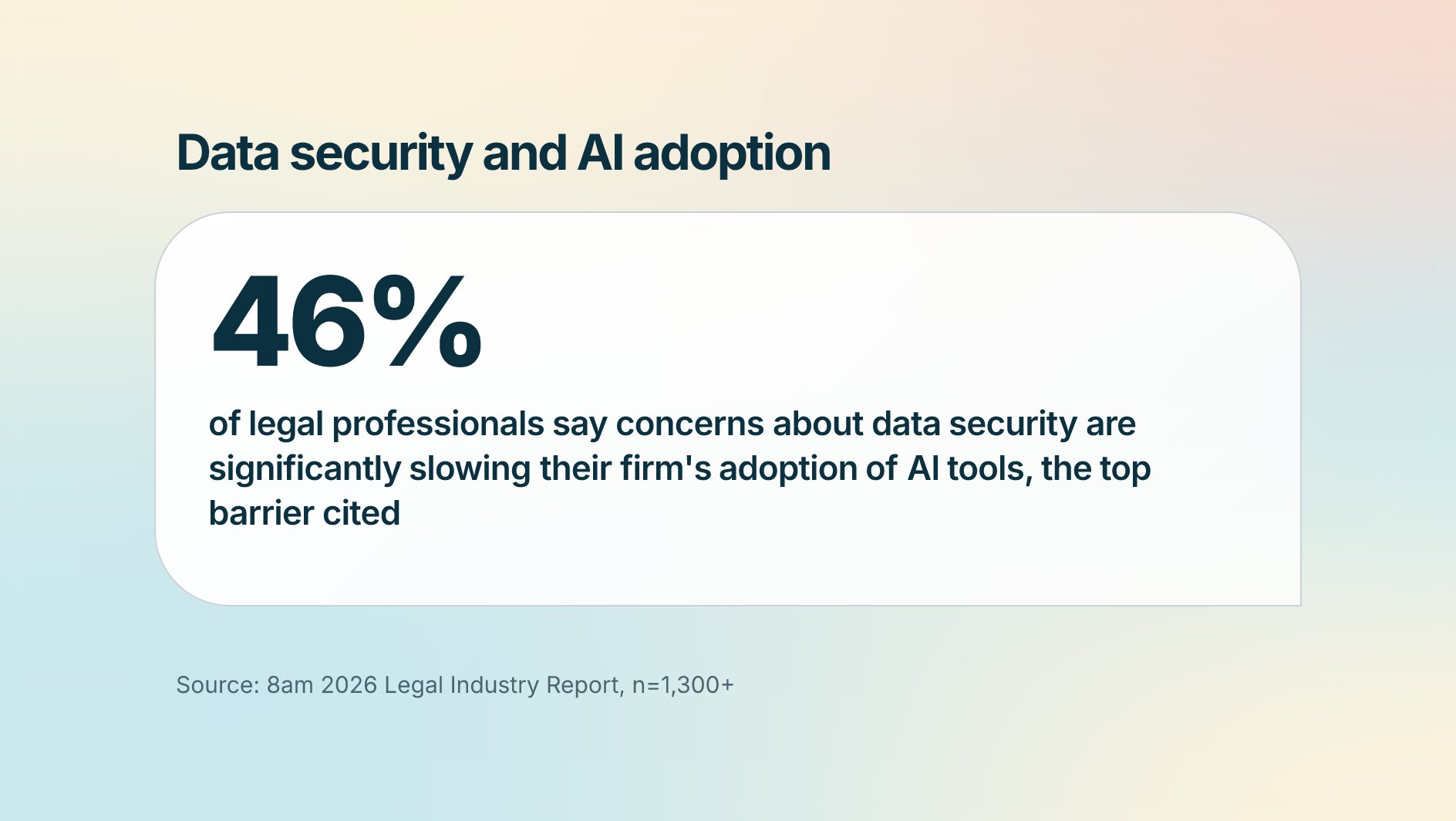
However, adoption isn't without hesitation. 46% of legal professionals say concerns about data security are significantly slowing their firm's adoption of AI tools, the top barrier cited. That caution is reasonable. Client files carry privileged, confidential information, and any tool you bring into your workflow needs to meet the same standards you'd expect of a trust account.
Explore MyCase legal AI software to see how built-in document summaries, smart drafting, and secure collaboration support every matter from intake to invoice. 8am IQ , which is built into MyCase, only works on data a user already has permission to access; MyCase’s safeguards keep your data from being exposed to other customers.
Schedule a demo today to see how MyCase delivers an AI-enabled workflow built around your matters, giving you time back for the work that requires your judgment.
About the author

Gabriela is a creative and results-driven SEO specialist dedicated to helping small businesses and professional service firms excel online. She leverages over six years of digital marketing experience to provide in-depth, authoritative content required for regulated industries like accounting and legal technology. Her work focuses on bridging complex financial and compliance topics with clear, actionable guidance. The core aim of her content is to deliver compliant, data-driven strategies that help practitioners streamline their operations, maximize firm cash flow, and grow their online presence.